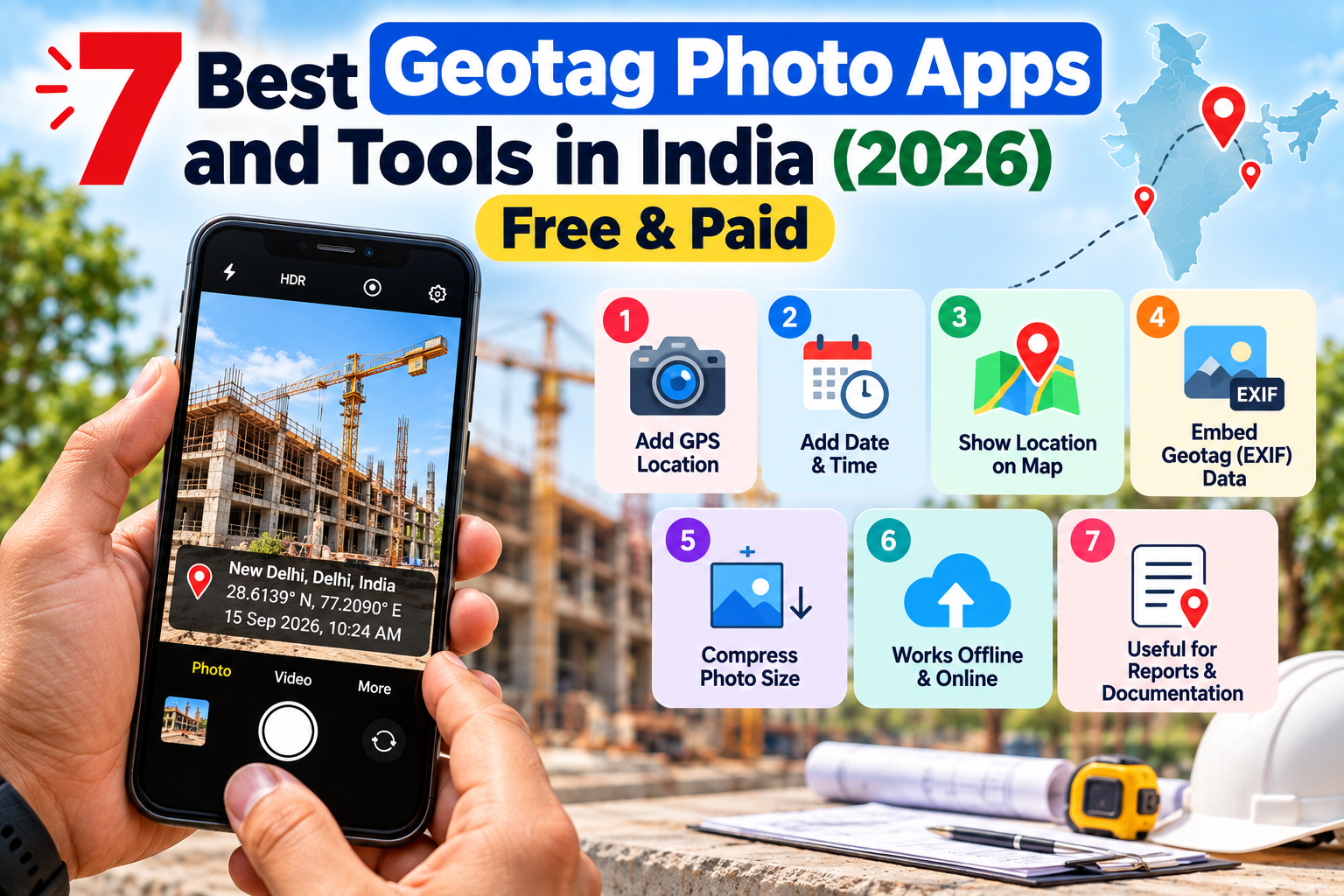
7 Best Geotag Photo Apps in India 2026 – Free Online Tools & Apps
Looking for the best geotag photo app or tool in India? This 2026 comparison covers the top free and paid options for Android, iPhone, and browser — including the best choice for CBSE, real estate, field work, and Google My Business.
Whether you need to geotag photos for a CBSE practical exam, a real estate site visit, a government field survey, or a Google My Business listing — the right tool makes it a 30-second job instead of a frustrating one.
This guide reviews the 7 best geotag photo apps and online tools available in India in 2026, comparing them on features, ease of use, price, and the specific use cases each one handles best.
Quick Comparison Table
Tool | Type | Price | Best For | Timestamp Overlay |
|---|---|---|---|---|
EDVIDA Geotag Tool | Browser | Free | CBSE, existing photos, General Use | Yes |
GPS Map Camera | Android App | Free/Paid | Real-time photos | Yes |
Open Camera | Android App | Free | Photographers | No |
Geotag Photos Pro | iOS/Android | Paid | Travel, photography | No |
geotag.co.im | Browser | Free | General use | No |
GeoImgr | Browser | Free | Desktop users | No |
Google Maps timestamp | Manual | Free | Single photos | No |
1. EDVIDA Geotag Tool — Best Free Online Option for Existing Photos
URL: edvida.in/image-geo-tagging Type: Browser-based (no app needed) Price: Completely free Best for: CBSE practical photos, field work, any existing photo that needs GPS added
The EDVIDA Geotag Tool is the best choice when you already have a photo and need to add GPS location to it — without installing anything. Unlike camera apps that only geotag photos taken through the app, EDVIDA works with any existing photo on your device.
What makes it stand out:
Works entirely in your browser — no app installation, no signup
Supports JPG, PNG, HEIC (iPhone photos), and WEBP
Interactive map — click to place your location or enter coordinates manually
Custom date and time — set the exact exam date for CBSE submissions
Your photos never leave your device (processed locally in browser)
Specifically designed for the CBSE OASIS portal workflow
Limitations:
Cannot add a visible GPS stamp overlay on the photo (EXIF metadata only)
Does not work for real-time photo capture
Verdict: The best free tool for adding GPS data to existing photos. Ideal for CBSE schools, NGO field workers, and government scheme documentation.
2. GPS Map Camera — Best Android App for Real-Time Geotagged Photos
Available on: Google Play Store Price: Free (with ads) / Premium version available Best for: Taking new photos with GPS and timestamp overlay already burned in
GPS Map Camera is the most popular geotagging app in India. It captures photos through its own camera and automatically overlays the GPS coordinates, address, date, and time directly onto the photo as a visible stamp — similar to old-school date-print cameras, but with GPS.
What makes it stand out:
Visible GPS and address stamp burned onto the photo
Real-time location detection
Works for construction sites, real estate, NGO documentation
Address display (not just coordinates)
Limitations:
Only works for new photos taken through the app — cannot add GPS to existing photos
Requires Android phone with GPS
Free version shows ads
Verdict: Best for field workers who need to take new photos with visible GPS proof. Not useful if you already have photos that need geotagging.
3. Open Camera — Best Free Android Camera with GPS Support
Available on: Google Play Store Price: Free, open source Best for: Photographers who want GPS embedded automatically in every shot
Open Camera is a powerful open-source camera app that automatically embeds GPS EXIF data into every photo it takes. Unlike GPS Map Camera, it does not add a visible overlay — the GPS data is embedded invisibly in the file's metadata.
What makes it stand out:
Completely free, no ads
Automatically tags every photo with GPS
High-quality camera controls
Works well with Google Photos location features
Limitations:
Android only
No visible GPS overlay
Cannot add GPS to existing photos
Verdict: Best for photographers who want automatic GPS tagging for every new photo. Not suitable for CBSE or document use cases where you need a specific location on an existing photo.
4. Geotag Photos Pro — Best for Travel Photographers
Available on: iOS and Android Price: Paid (approximately ₹400–600) Best for: Travel photographers synchronising GPS tracks with camera photos
Geotag Photos Pro works differently — it runs in the background recording your GPS track, then matches the timestamps to photos taken on a separate camera. This is primarily useful for professional photographers with DSLRs.
Limitations:
Paid app
Complex workflow not suited for CBSE or field documentation
Overkill for most India use cases
Verdict: Only useful for dedicated photography workflows. Not relevant for CBSE, government documentation, or business use cases.
5. geotag.co.in — Simple Browser Tool
URL: geotag.co.in Type: Browser-based Price: Free Best for: Quick geotag jobs on desktop
A simple browser-based tool similar to EDVIDA. It allows you to upload a photo and add GPS coordinates. The interface is basic — fewer features and less mobile-friendly than EDVIDA.
Limitations:
Less mobile-friendly
No CBSE-specific guidance
Fewer supported formats
Verdict: Functional but basic. EDVIDA is a better alternative with more features and better CBSE support.
6. GeoImgr — Desktop-Focused Browser Tool
URL: geoimgr.com Type: Browser-based Price: Free (limited) / Paid for bulk Best for: Desktop users who need to geotag multiple photos
GeoImgr is a well-established tool popular internationally. It has a clean interface and supports Google Maps integration for location search. The free version limits the number of photos per day.
Limitations:
Daily limits on free plan
More expensive for bulk use
No specific India or CBSE focus
Verdict: Good for occasional desktop use but the daily limits make it less practical for school coordinators who need to geotag multiple batch photos.
7. Google Maps Manual Method — Free But Slow
If you do not want to use any tool, you can manually find GPS coordinates in Google Maps and note them down, then use any geotag tool to add them. This is free but takes significantly longer than using a dedicated tool.
Steps:
Open Google Maps
Long-press your location
Note the latitude and longitude shown at the top
Enter them in any geotag tool
Verdict: Free but impractical for regular use. Use a dedicated tool instead.
Which Tool Should You Use? — Decision Guide
If you need to add GPS to an existing photo (CBSE, NGO, government): Use EDVIDA Geotag Tool — free, browser-based, works on any device, no app needed.
If you need to take new photos with a visible GPS stamp: Use GPS Map Camera — burn coordinates and address directly onto the photo.
If you are a photographer who wants automatic GPS on every shot: Use Open Camera (Android) or enable Location Services in your phone's native camera.
If you need to geotag many photos at once on a desktop: Use GeoImgr — supports batch processing.
Frequently Asked Questions
Which geotag app is best for CBSE practical exams? EDVIDA's free browser tool is specifically designed for this use case. It lets you upload an existing group photo, assign your school's GPS coordinates, set the exam date, and download a CBSE-compliant geotagged JPEG.
Can I geotag a photo without installing an app? Yes. EDVIDA's geotag tool works entirely in your browser — no app installation, no signup required.
Do geotag apps work on iPhone? Yes. EDVIDA's browser tool works on iPhone Safari. GPS Map Camera has an iOS version as well.
Is geotagging the same as adding a visible stamp on a photo? No. Geotagging adds invisible GPS data to the file's EXIF metadata. Adding a visible stamp (showing GPS coordinates on the photo itself) is a separate feature that apps like GPS Map Camera offer.
The best tool depends entirely on your use case. For most Indian users — especially for CBSE, government field work, and adding GPS to existing photos — a free browser-based tool is the right choice.

Deepak Garg
Enthusiast