What is Geotagging? Complete Guide to Geotagged Photos (2026)
Geotagging is the process of adding GPS location data to a photo, video, or document. This complete beginner's guide explains what geotagging is, how it works, and why millions of people in India need to geotag photos — from CBSE students to business owners.
Every January, millions of Indian students and school teachers suddenly need to geotag a photograph — often with no idea what geotagging actually means. Every day, business owners are told to geotag their Google My Business photos. Government field workers submit geotagged photographs for scheme compliance without fully understanding the technology behind it.
This guide explains geotagging from the ground up — what it is, how it works, who needs it, and how to do it for free in under a minute.
What is Geotagging?
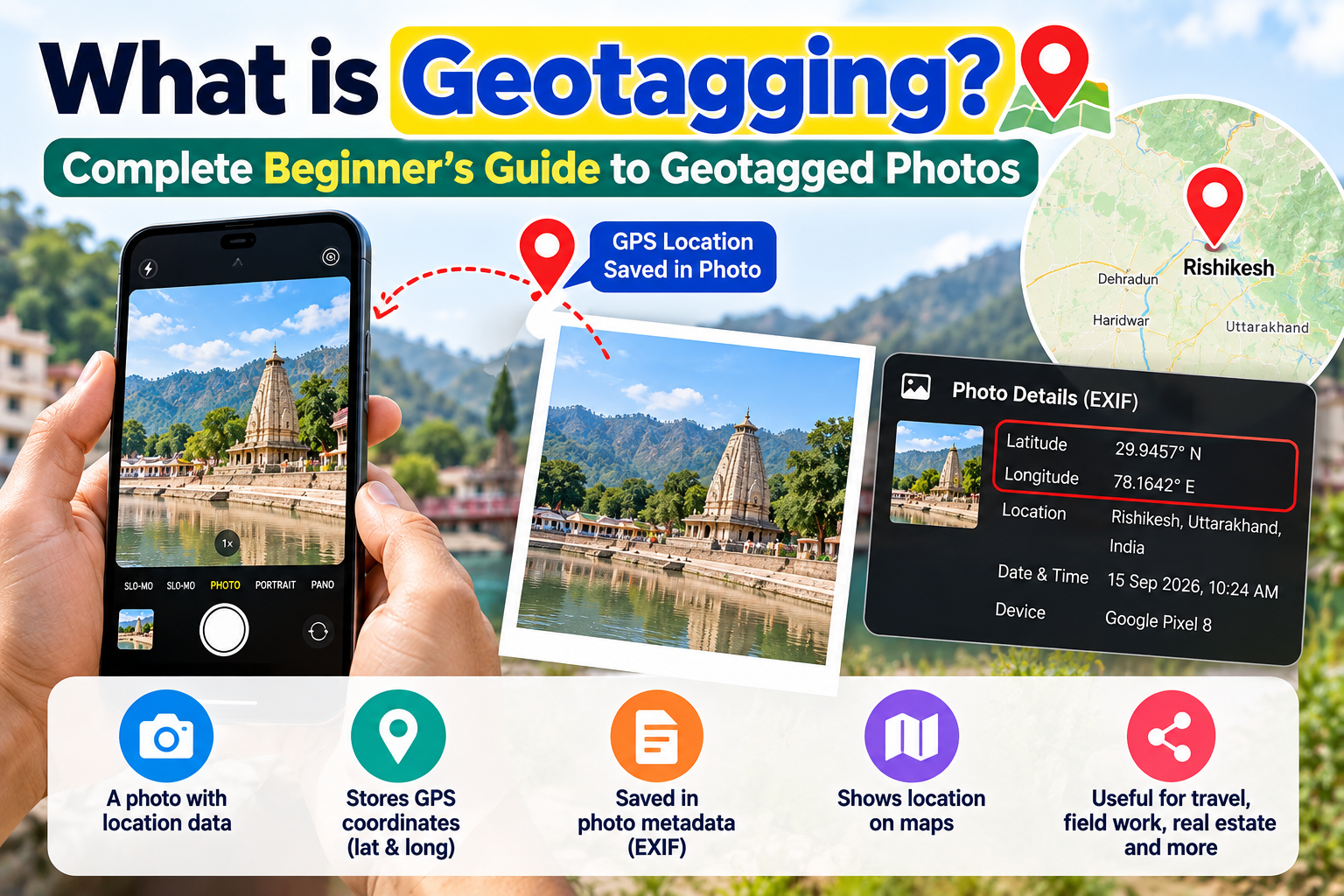
Geotagging (also written as geo-tagging or GeoTagging) is the process of adding geographical location data to a digital file — most commonly a photograph. This location data consists of:
Latitude — your north-south position on Earth (e.g., 28.6139° N)
Longitude — your east-west position on Earth (e.g., 77.2090° E)
Altitude — optional, how high above sea level (e.g., 216 metres)
Timestamp — the date and time the photo was taken
This data is stored invisibly inside the photo file itself, in a section called EXIF (Exchangeable Image File Format) metadata. You cannot see geotag data by looking at the photo — it is embedded in the file's digital code.
How Does Geotagging Work Technically?
When you take a photo with your smartphone's camera and Location Services are enabled, the phone's GPS chip records your exact coordinates at the moment the photo is taken. These coordinates are automatically written into the photo file's EXIF metadata.
The process happens in milliseconds and requires no action from you. The photo file you see on your screen looks identical whether it is geotagged or not — the difference is entirely in the invisible metadata.
What EXIF metadata looks like (simplified):
GPS Latitude:  28.6139° N
GPS Longitude: 77.2090° E
GPS Altitude:  216 m
Date/Time:     2026-01-15 10:34:22
Camera Make:   Samsung
Camera Model:  Galaxy S23
What is the Difference Between Geotagging and a Timestamp?
These are often confused:
Timestamp = the date and time a photo was taken. All digital cameras record this automatically.
Geotag = the GPS location (latitude and longitude) where a photo was taken. Only recorded automatically if the camera has GPS enabled.
A geotagged photo contains both the timestamp and GPS coordinates. A photo with only a timestamp but no GPS coordinates is not geotagged.
Some apps like GPS Map Camera also burn the GPS coordinates visibly onto the photo as a watermark-style overlay — but this is a separate concept from EXIF geotagging. For official purposes (CBSE, government portals), what matters is the EXIF GPS data, not the visible overlay.
Why Are Geotagged Photos Required in India?
Geotagged photos have become a standard requirement across several sectors in India:
CBSE Practical Examinations
Since January 2025, CBSE requires schools to upload a geotagged and timestamped group photograph for every Class 10 and Class 12 practical exam batch. The GPS coordinates in the photo must match the school's location, confirming the exam took place at the registered premises.
Government Scheme Documentation
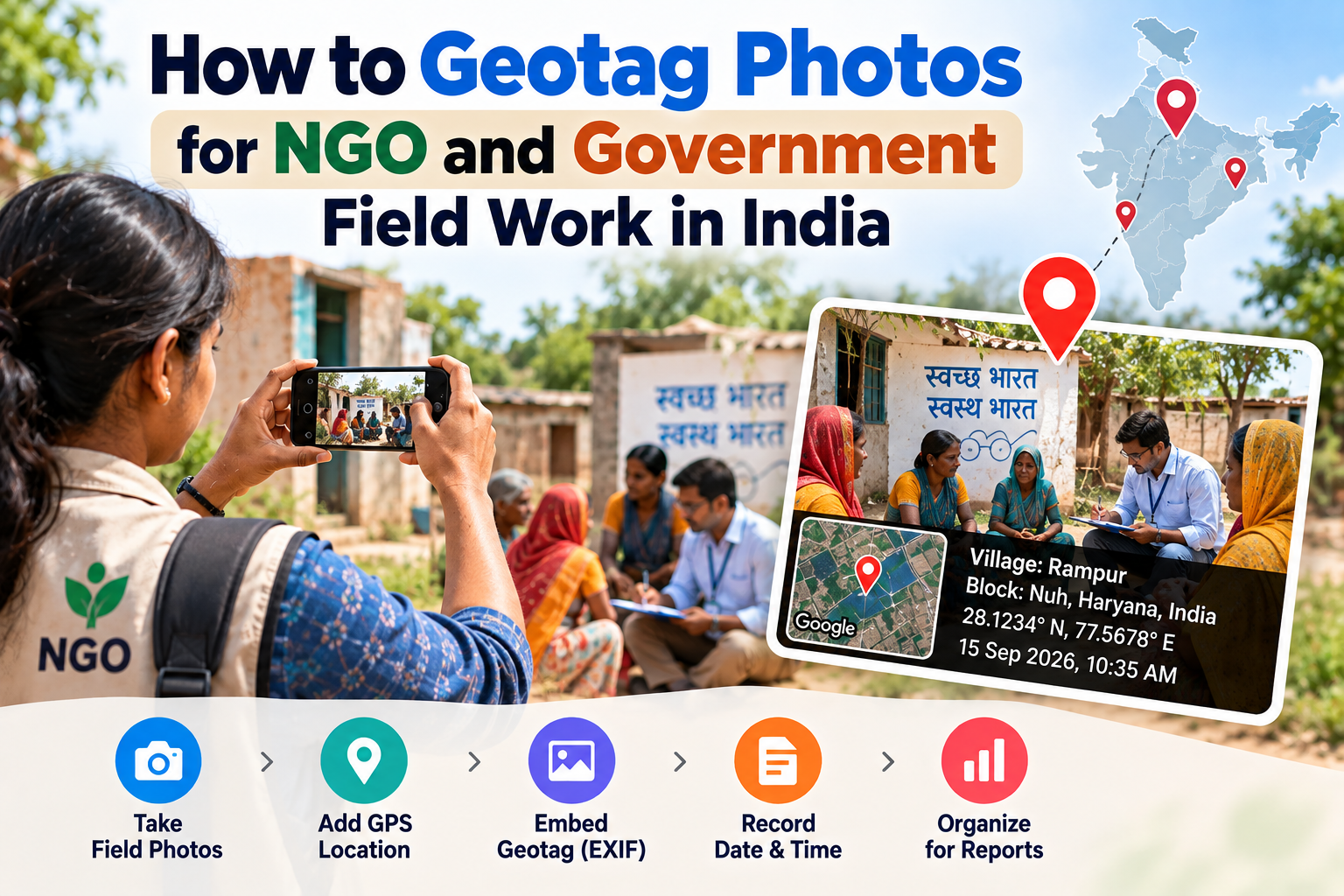
Multiple Indian government schemes require geotagged photographs as proof of scheme implementation:
PM Awas Yojana — geotagged photos at each stage of housing construction
PMGSY — geotagged road construction progress photos
MNREGA — geotagged work site photographs for attendance and progress tracking
Jal Jeevan Mission — geotagged infrastructure installation photos
AMRUT — geotagged urban infrastructure progress photos
Real Estate and Construction
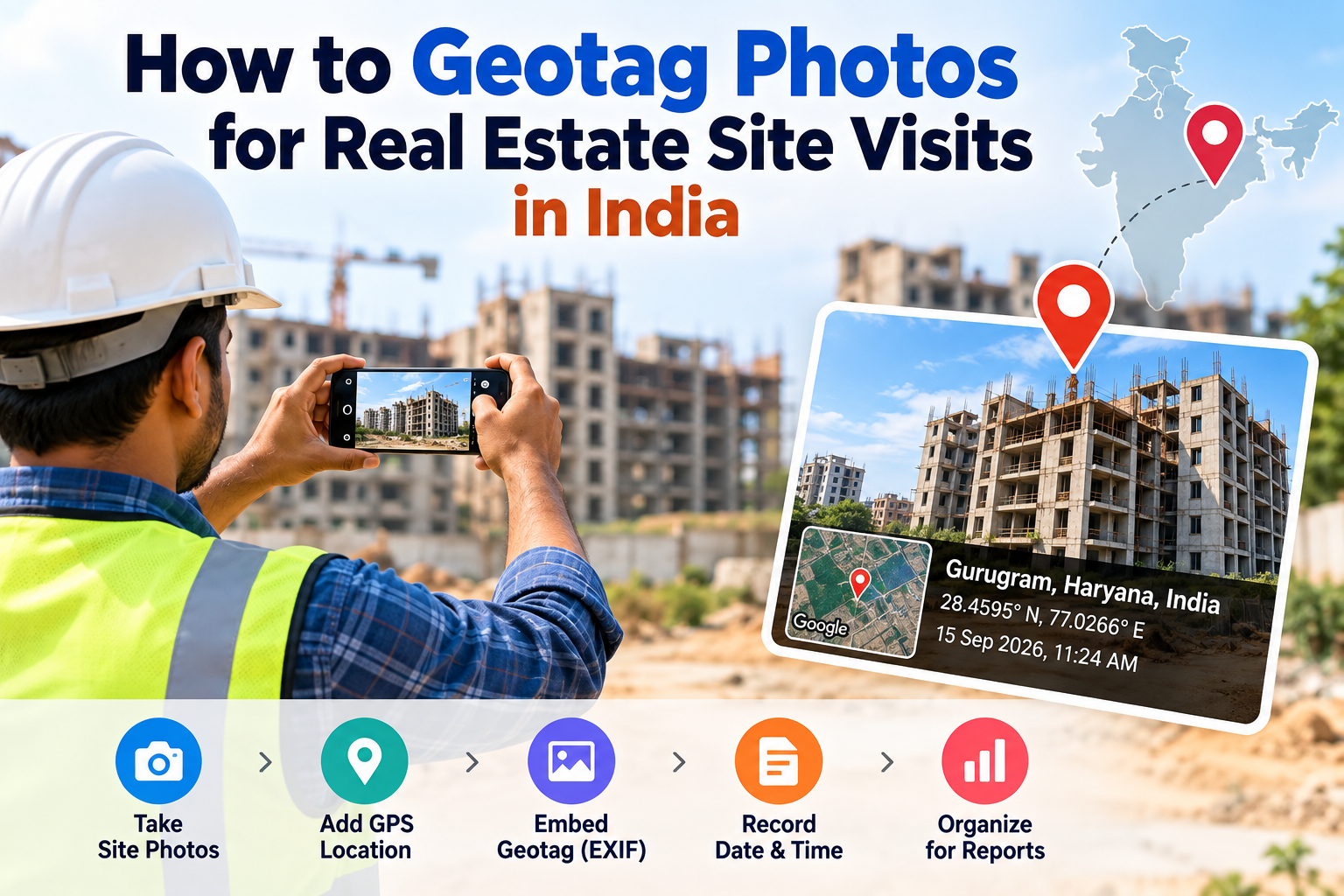
Real estate developers, construction companies, and project managers submit geotagged site photographs with project progress reports and government tender documentation.
Google My Business and Local SEO
Business owners upload geotagged photos to their Google Business Profile to strengthen location signals and improve visibility in Google Maps search results.
Travel and Personal Photography
Photographers and travellers use geotagging to record where each photo was taken, enabling map-based photo browsing in apps like Google Photos and Apple Photos.
What Happens if Your Photo is Not Geotagged?
The consequences depend on the context:
CBSE: Photo upload may fail or be flagged as non-compliant
Government portals: Funds may not be released without properly geotagged photos
Google My Business: Photo provides no location signal to Google
Personal use: Photos cannot be organised by location in Google Photos
How to Check if a Photo is Already Geotagged
Before using any tool, check whether your photo already has GPS data:
On Windows: Right-click the photo file → Properties → Details tab → scroll to the GPS section. If GPS Latitude and GPS Longitude show coordinate values, the photo is already geotagged.
On Mac: Open in Preview → Tools → Show Inspector (⌘I) → GPS tab. Coordinates will appear if the photo is geotagged.
On Android: Open the photo in Google Photos → tap the three dots → Details → scroll down to the location section.
Online: Upload the photo to exifdata.com to see all EXIF metadata including GPS fields.
How to Geotag a Photo That Has No GPS Data
If your photo has no GPS coordinates, you can add them using a free browser-based tool — no app installation required.
Upload your photo (JPG, PNG, HEIC, or WEBP)
Click your location on the interactive map, or enter latitude and longitude manually
Click Add GPS Location to Photo Now
Download your geotagged photo
The entire process takes under 60 seconds. Your photo never leaves your device — all processing happens in your browser.
Common Geotagging Myths
Myth: Geotagging makes my photos public or shareable False. Geotagging adds data to your photo file's metadata. It does not upload or share your photo anywhere. Your photo stays on your device.
Myth: Geotagging changes the appearance of my photo False. The GPS coordinates are stored invisibly in EXIF metadata. The visual content of your photo is completely unchanged.
Myth: Only new photos can be geotagged False. You can add GPS coordinates to any existing photo using a post-processing tool like EDVIDA. The photo does not need to have been taken with GPS enabled.
Myth: You need a smartphone to geotag photos False. Any digital photo — including DSLR photos, scanned documents, and old images — can be geotagged using a browser-based tool on any computer or phone.
Myth: Geotagging reduces image quality False. Only invisible EXIF metadata is modified. The pixel data — resolution, colours, sharpness — is completely unchanged.
Geotagging Glossary
EXIF (Exchangeable Image File Format) — the standard for storing metadata inside image files, including GPS coordinates, camera settings, and date/time.
Latitude — the north-south coordinate. Ranges from -90 (South Pole) to +90 (North Pole). India is between approximately 8° N and 37° N.
Longitude — the east-west coordinate. Ranges from -180 to +180. India is between approximately 68° E and 97° E.
GPS (Global Positioning System) — the satellite network that provides location data to phones and GPS devices.
Geotag — the act of embedding GPS coordinates into a digital file, or the GPS data itself.
OASIS — CBSE's Online Academic System for Information and Services, the portal where schools upload practical exam data and geotagged photos.
Frequently Asked Questions
Is geotagging the same as location tagging on Instagram? No. Instagram location tags are labels you choose from a list — they are social media labels, not GPS coordinates. EXIF geotagging is precise GPS data embedded in the photo file itself.
Can geotagging be faked? Technically, GPS coordinates can be manually set to any location. However, for official submissions (CBSE, government portals), submitting false coordinates constitutes fraud and carries penalties.
Does turning off Location Services remove existing geotags? No. Turning off Location Services only stops future photos from being geotagged. Existing GPS data in old photos remains intact until you explicitly remove it.
How accurate is phone GPS geotagging? Modern smartphone GPS is accurate to within 3–5 metres under open sky. This is more than sufficient for CBSE, government scheme documentation, and business use cases.
Geotagging is one of those technologies most people use without knowing it — and millions of people in India now need to understand and use it intentionally. Whether you are a school teacher geotagging a CBSE practical photo, a government field worker documenting scheme progress, or a business owner optimising your Google Maps presence, the process is simpler than it sounds.

Deepak Garg
Enthusiast