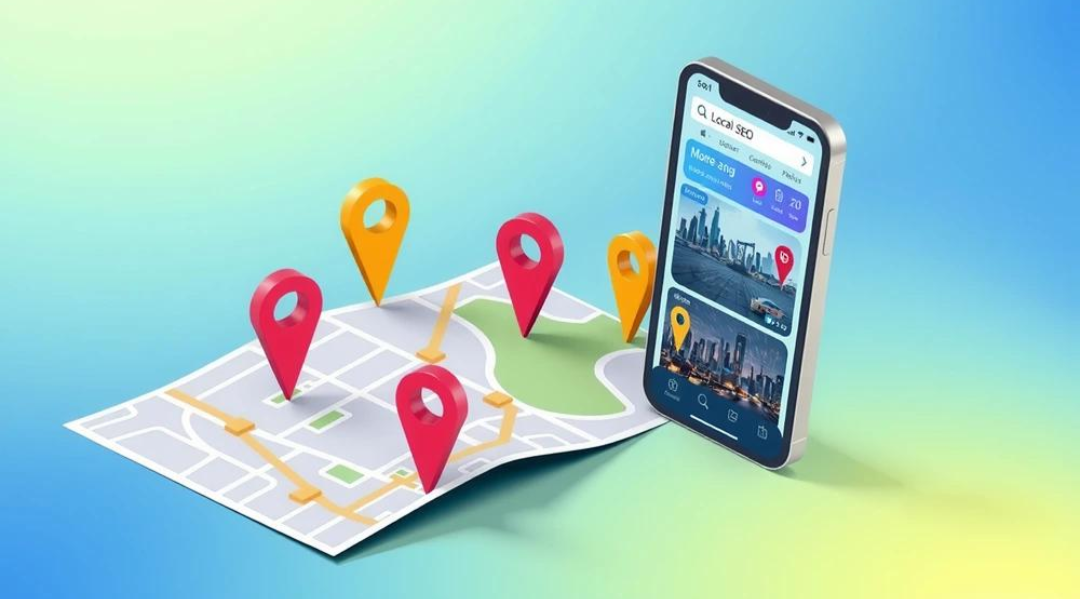
The Ultimate Guide to Geo-Tagging
In today’s digital world, where billions of images and posts are shared daily, context matters more than ever. One of the most powerful yet often overlooked ways to add context to digital content is geo-tagging. Whether you are a photographer, business owner, developer, or SEO professional, geo-tagging can significantly enhance how your content is discovered, understood, and used.
This guide will walk you through everything you need to know about geo-tagging—what it is, how it works, its benefits, and how to use it effectively.
What is Geo-Tagging?
Geo-tagging is the process of adding geographical information—such as latitude, longitude, altitude, and sometimes place names—to digital media like photos, videos, or posts.
This data is typically stored in the file’s metadata, commonly known as EXIF (Exchangeable Image File Format) data in images.
For example:
A photo taken in Delhi may include GPS coordinates like:
28.6139° N, 77.2090° E
When uploaded, platforms can recognize this and associate the image with that location.
How Geo-Tagging Works
Geo-tagging relies on several technologies working together:
1. GPS (Global Positioning System)
Most smartphones and cameras use GPS satellites to determine precise location.
2. EXIF Metadata
When a photo is taken:
The device records location data
Stores it inside the image file
3. Software & Platforms
Platforms like social media, maps, and websites:
Read metadata
Display location tags
Use it for indexing and recommendations
Why Geo-Tagging Matters
Geo-tagging is not just a technical feature—it’s a powerful tool that impacts visibility, engagement, and usability.
1. Improves SEO (Search Engine Optimization)
Search engines use geo-data to understand:
Where content was created
Which audience it is relevant to
Benefits:
Better ranking for local searches
Increased discoverability on Google Images
Stronger local business presence
For example:
If you geo-tag images with “Gurgaon” or “Delhi NCR,” your content is more likely to appear in location-based searches.
2. Boosts Local Business Visibility
For businesses, geo-tagging is a game-changer.
How it helps:
Appears in local search results
Improves Google Maps visibility
Builds trust with location-based relevance
A restaurant that geo-tags its food images:
Gains visibility in nearby searches
Attracts local customers
3. Enhances Social Media Engagement
Platforms like Instagram, Facebook, and Twitter use location data to:
Show posts to nearby users
Group content by location
Result:
Higher reach
More engagement
Better audience targeting
4. Helps in Data Organization
Geo-tagging allows:
Sorting photos by location
Creating travel maps
Managing large media libraries efficiently
5. Critical for Analytics & Insights
Businesses and developers can:
Track user behavior by location
Analyze regional trends
Optimize campaigns geographically
Types of Geo-Tagging
1. Automatic Geo-Tagging
Done by smartphones or cameras
Uses GPS
No manual effort required
2. Manual Geo-Tagging
Users add location manually
Useful for:
Old photos
Editing incorrect data
3. Reverse Geo-Tagging
Converts coordinates into:
City name
Address
Landmark
Geo-Tagging and SEO: A Deep Dive
Geo-tagging plays a major role in local SEO, especially for businesses targeting specific regions.
Key SEO Benefits
1. Image SEO Optimization
Search engines index:
Image content
Metadata
Location data
2. Local Keyword Reinforcement
Geo-tags strengthen:
Location keywords
Relevance signals
3. Google Maps Integration
Geo-tagged content aligns with:
Business listings
Map-based searches
Example Strategy
If you run a website like EdTech or Geo-tagging platform (like your project):
Upload images with geo-data
Use location-based keywords:
“Geo-tagging tool India”
“Add GPS to photos Gurgaon”
This creates a strong SEO signal.
How to Geo-Tag Photos
Method 1: Using Smartphones
Most smartphones:
Automatically embed location data
Require location services to be ON
Steps:
Enable Location Services
Open Camera Settings
Turn ON “Save Location”
Method 2: Using Online Tools
You can manually geo-tag images using tools like:
Geo-tagging web apps
Metadata editors
Process:
Upload image
Enter location
Save updated file
Method 3: Using Desktop Software
Tools like:
Adobe Lightroom
Photoshop
EXIF editors
Allow:
Bulk geo-tagging
Precise adjustments
Use Cases of Geo-Tagging
1. Travel Blogging
Map your journeys
Create interactive experiences
2. Real Estate
Show property locations
Improve listing accuracy
3. E-commerce
Location-based product relevance
4. Education Platforms
Geo-tag school data
Analyze regional performance
5. Government & Surveys
Track infrastructure
Monitor development
Geo-Tagging for Developers (Your Use Case)
Since you're working with Laravel + Filament, geo-tagging can be implemented as:
Features You Can Build:
Image upload with GPS capture
Map visualization (Google Maps / Leaflet)
Analytics dashboard (Admin Panel)
Location filtering
Suggested Flow:
User uploads image
Capture GPS (browser/mobile)
Store:
Latitude
Longitude
Display on map
Analyze in admin panel
Common Mistakes to Avoid
1. Ignoring Privacy
Geo-tagging reveals exact location.
Fix:
Remove location for sensitive uploads
Allow user control
2. Incorrect Coordinates
Wrong data reduces SEO effectiveness.
Fix:
Validate coordinates
Use map preview
3. Overusing Tags
Spammy geo-tagging can harm SEO.
Fix:
Keep it relevant and accurate
Geo-Tagging and Privacy Concerns
While geo-tagging is powerful, it comes with risks.
Risks:
Location tracking
Personal data exposure
Security threats
Best Practices:
Disable geo-tagging for personal photos
Strip metadata before sharing sensitive images
Use privacy controls
Future of Geo-Tagging
Geo-tagging is evolving rapidly with technologies like:
1. AI & Machine Learning
Automatic location detection
Smart tagging
2. Augmented Reality (AR)
Location-based AR experiences
3. Smart Cities
Real-time geo-data usage
Infrastructure mapping
4. Hyperlocal SEO
More precise targeting
Personalized search results
Why Geo-Tagging is Essential in 2026
As search engines and platforms become smarter, location context is becoming a ranking factor.
Businesses that leverage geo-tagging:
Rank higher
Reach targeted audiences
Deliver better user experiences
Final Thoughts
Geo-tagging is no longer optional—it’s a necessity in the digital ecosystem. Whether you are building a platform, running a business, or managing content, integrating geo-tagging can unlock new levels of visibility and engagement.
If used correctly, it can:
Boost SEO
Improve user experience
Provide actionable insights
And most importantly, it connects digital content with the real world.