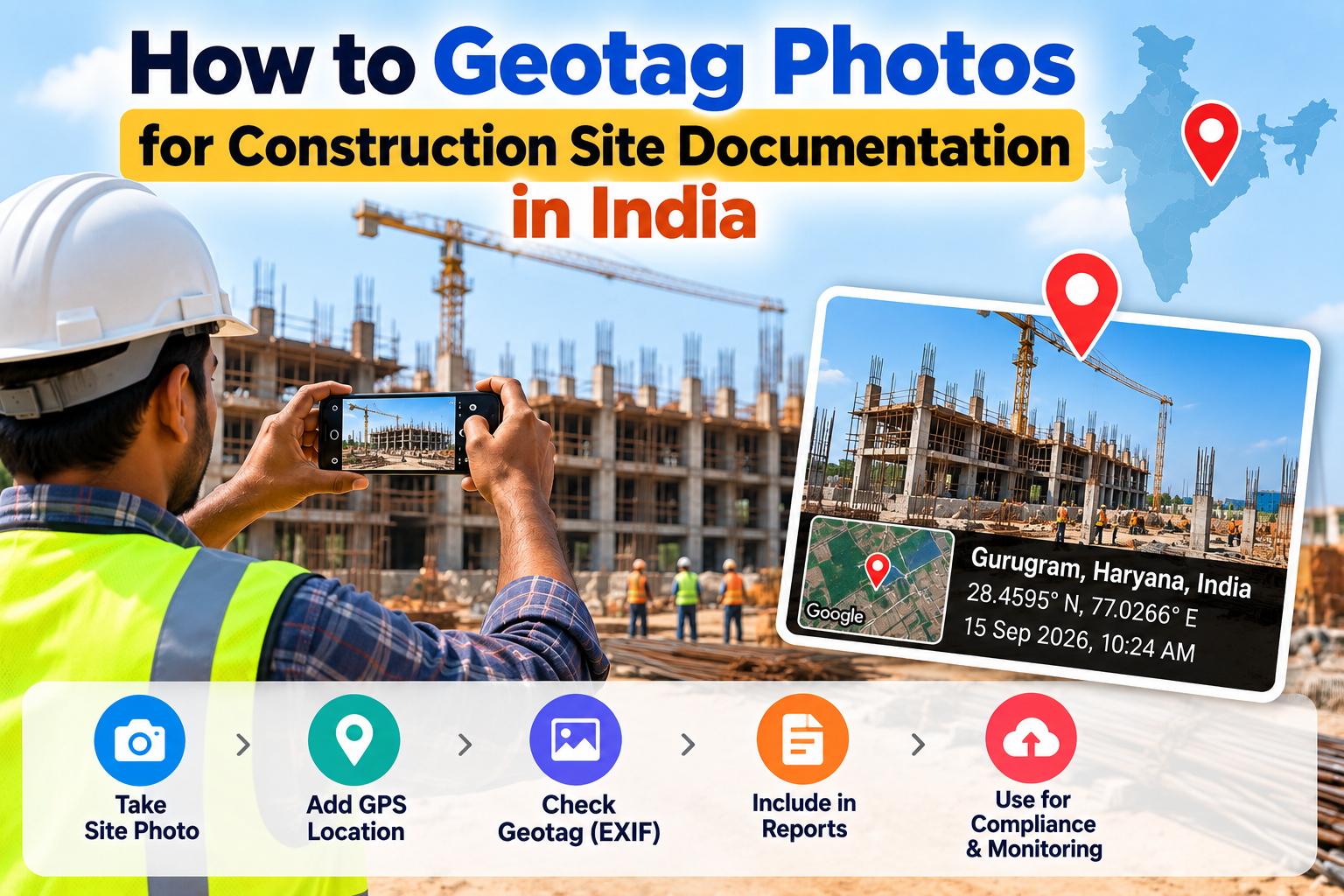
How to Geotag Photos for Construction Site Documentation in India
Construction project managers and site engineers in India are increasingly required to submit geotagged photos for government tenders, compliance reports, and progress documentation. This guide explains how to do it — free and without any app.
Construction site documentation in India has changed significantly in recent years. Government schemes including PM Awas Yojana, PMGSY (Pradhan Mantri Gram Sadak Yojana), and AMRUT now mandate geotagged photographs at every stage of construction. Private project managers and real estate developers also increasingly require geotagged site photos for progress reports, client presentations, and tender documentation.
This guide explains why geotagged photos are required, which government schemes mandate them, and how any site engineer or project manager can geotag photos in under a minute — without installing any app.
Why Are Geotagged Photos Required for Construction Sites?
Geotagged photos serve as tamper-resistant proof that a photograph was taken at a specific location on a specific date. In the construction sector, this matters because:
Government scheme compliance: Schemes like PM Awas Yojana require GPS-tagged photos at each stage of house construction. Beneficiaries and implementing agencies must upload these photos to the scheme's portal to release the next tranche of funds.
Anti-fraud verification: Geotagged photos prevent the submission of recycled or stock photographs as evidence of construction progress. The embedded GPS coordinates must match the approved project site.
Audit trail: Project reports with geotagged photos create a verifiable timeline of construction progress that can be audited by government agencies or clients.
Tender documentation: Many government contracts now require contractors to submit geotagged site visit photographs along with progress reports.
Government Schemes That Require Geotagged Construction Photos
PM Awas Yojana (PMAY) — Urban and Rural
PM Awas Yojana requires implementing agencies to upload geotagged photographs at four stages of house construction:
Foundation stage
Lintel level
Roof slab
Completion
Each photograph must have GPS coordinates matching the approved construction site. Without geotagged photos, the next tranche of funding is not released.
PMGSY — Pradhan Mantri Gram Sadak Yojana
Road construction under PMGSY requires geotagged photographs documenting each phase of road construction. Site engineers are required to submit these through the PMGSY online management system.
AMRUT — Atal Mission for Rejuvenation and Urban Transformation
Urban infrastructure projects under AMRUT require geotagged progress photographs uploaded to the project management portal at each milestone.
Smart Cities Mission
Smart Cities project documentation increasingly requires geotagged photographs for progress monitoring and fund release.
How Site Engineers Are Currently Geotagging Photos
Most site engineers use one of three methods:
GPS camera apps: Apps like GPS Map Camera take photos with a visible GPS overlay already burned onto the image. This is the most common method for new photos taken on-site.
Phone camera with Location Services: Taking photos with Location Services enabled on your phone automatically adds GPS data to the EXIF metadata. However, this only works if your phone GPS is active when the photo is taken.
Post-processing with a browser tool: When photos were taken without GPS (using a DSLR, a phone with Location Services off, or photos taken by a third party), a browser-based tool like EDVIDA can add the correct GPS coordinates to existing photos.
Step-by-Step: How to Geotag a Construction Site Photo
This method works for any existing photo that needs GPS coordinates added — including photos taken with a DSLR, a borrowed phone, or a phone with Location Services turned off.
Step 1 — Get the GPS coordinates of the construction site
Method A (Google Maps):
Open Google Maps
Navigate to your construction site
Long-press the exact location on the map
The latitude and longitude appear at the top of the screen
Method B (Phone GPS at site): Open your phone's native Maps app at the site. Your current location shows the exact coordinates.
Method C (Survey coordinates): If your project has been surveyed, the site coordinates will be in your project documents or land records.
Step 2 — Open EDVIDA Geotag Tool
Go to edvida.in/image-geo-tagging in your phone or computer browser. No app installation or login is required.
Step 3 — Upload your site photograph
Click Upload Image and select the construction site photograph. Supports JPG, PNG, HEIC, and WEBP.
Step 4 — Enter the site coordinates
Click on the construction site location on the interactive map, or enter the latitude and longitude directly. The map pin will confirm the location visually.
Step 5 — Set the date
Update the Date For Image field to the actual date the photograph was taken. This ensures the EXIF timestamp accurately reflects when the photo was captured.
Step 6 — Download and submit
Click Add GPS Location to Photo Now. Your geotagged construction site photo downloads immediately. Submit it to the relevant government portal or include it in your project report.
Best Practices for Construction Site Photo Documentation
Take photos at the correct GPS location. Even when geotagging after the fact, use the actual site coordinates — not your office or home location. Government portals cross-check coordinates against approved project sites.
Document each construction stage separately. Keep a systematic photo log with stage name, date, and location for each photograph. This creates a clear audit trail.
Keep original and geotagged copies. Save the original photo alongside the geotagged version. If coordinates need to be corrected later, you will need the original file.
Compress photos before portal upload. Most government portals accept files under 2 MB. After geotagging, check the file size and compress at tinyjpg.com if needed. Compression does not remove GPS data.
Maintain a photo log spreadsheet. Record the filename, site location, stage of construction, date, and GPS coordinates for every photo submitted. This protects you during audits.
Frequently Asked Questions
Can I add GPS coordinates to photos taken with a DSLR camera? Yes. DSLRs do not have built-in GPS. Use the EDVIDA browser tool to add the site's GPS coordinates to any DSLR photograph after it has been transferred to your computer or phone.
What if the construction site coordinates are not accepted by the portal? Verify that the coordinates you entered are precisely correct. Use Google Maps to confirm by searching the site address and copying the coordinates from the location pin.
Can I geotag multiple site photos at once? Currently, EDVIDA's tool processes one photo at a time. For bulk geotagging of many photos, use desktop software like GeoSetter (Windows) or ExifTool.
Does geotagging work for drone photographs? Yes. Upload the drone photograph and add the GPS coordinates of the surveyed location. The process is identical to geotagging regular photos.
Is geotagging legally valid as proof of construction? Geotagged photos are accepted as documentary evidence by all major Indian government schemes (PM Awas, PMGSY, AMRUT, etc.). The GPS metadata in the photo's EXIF data is the accepted proof format.
Construction site geotagging is no longer optional for government projects in India — it is mandatory. The good news is that adding GPS coordinates to any construction site photo takes less than 2 minutes with the right free tool.

Deepak Garg
Enthusiast